
How Fullscreen Focus Can Improve a Funny Shooter 2 Session.
A Funny Shooter 2 round can feel harder than it really is when your attention is split between the game and the browser around it. The action is fast, the enemies are strange, and the screen is supposed to feel chaotic in a fun way. That chaos is entertaining. Browser clutter is not.
Visible tabs, alerts, other windows, and the temptation to glance away can make a run feel less readable. That is why fullscreen can help. It does not hand you better aim or smarter movement. It gives the game a cleaner frame, which makes it easier to stay inside the round you already chose to play.
For anyone using the site's Funny Shooter 2 game as a quick browser FPS break, that distinction matters. The platform is built around instant access and low friction. A better session often starts by cutting distractions before the first wave shows up.
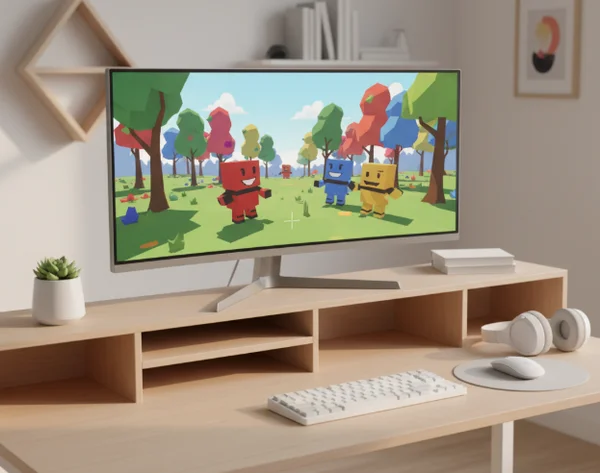
Why Browser Clutter Changes a Fast Round.
Where focus usually breaks before the fight does.
Fast browser shooters ask you to do several things at once. You are moving, tracking enemies, reading distance, deciding when to fire, and reacting to pressure. In a game that mixes silly enemies with constant combat, your eyes already have plenty to process.
That is why extra clutter matters more than it seems. A visible tab strip, an incoming message, or another open app does not need to be dramatic to hurt the flow of a round. It only needs to interrupt the moment when you were about to commit to a move.
That idea lines up with attention research. A [Stanford report] says people with lower sustained attention ability and heavier media multitasking performed worse on memory tasks. A browser game is not a lab task, but the practical lesson still fits: if you want steadier focus, reduce the number of things competing for it.
Fullscreen helps because it turns that lesson into a habit. You are not trying to prove that the game is technically different in fullscreen. You are giving yourself fewer excuses to keep switching away from the action.
Why Task Switching Makes a Round Feel Less Steady.
Why repeated interruptions cost more than they seem.
One distraction rarely ruins a round by itself. The problem is the reset that follows. You look away, re-center, remember where the enemies are, and then try to continue as if nothing happened. In a fast shooter, those tiny resets pile up.
That is close to what task-switching research describes. A [PubMed summary] notes that performance is poorer on switch trials than on repeat trials, with slower responses and more errors when people have to change tasks. That does not mean a game session works exactly like a psychology experiment. It does help explain why repeated attention switching can make a browser FPS feel less stable.
In practical terms, fullscreen works like a small defensive barrier. It does not remove every interruption, but it lowers the odds that your eyes and hands are constantly being asked to restart their rhythm. That matters in Funny Shooter 2 because the game rewards momentum. Once you lose the feel of a round, it is harder to read enemies and easier to waste movement.
This is also why fullscreen can help players who are not trying to optimize frames or device settings. Sometimes the session feels bad because the setup is fragmented, not because the game itself is broken.
A Practical Fullscreen Routine Before You Start.
What to clean up before you hit Play Now.
The best fullscreen routine is short enough that you will actually use it. You do not need a complicated checklist. You just need to remove the most obvious sources of split attention.
Try this before you start a run:
- Close or mute any tab that is likely to ping, autoplay, or pull your eyes away.
- Put the game in the one browser window you plan to keep active.
- Enter fullscreen before the round gets busy.
- Set your audio to a level that lets you notice cues without becoming distracting.
- Keep unrelated apps out of sight for the length of the session.
That setup fits the site's browser-first pitch. You are still keeping the game easy to launch and easy to leave. You are just making the active play window feel more intentional.
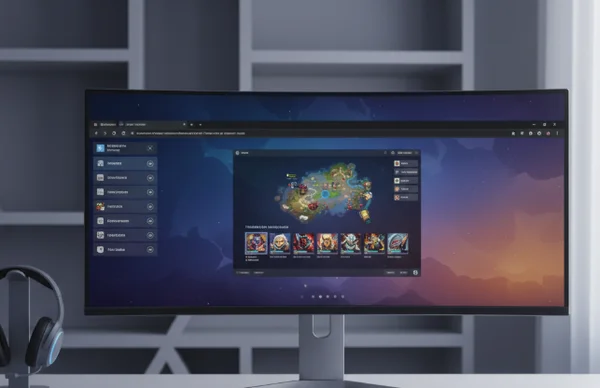
What to check once the round begins.
The first moments of a run are your quality check. Move around a little. Sweep your view. Fire a few shots. Make sure the screen feels clean enough that you can follow enemy positions without your eyes drifting to the edge of the browser.
This is also a good time to reconnect with the basics the site already highlights: movement, shooting, special abilities, and power-up collection. Fullscreen does not replace those skills. It gives them a better stage.
If the session still feels messy, reset early. Leave fullscreen, fix what is distracting you, and start again. It is easier to recover before the round gets crowded than after you are already reacting late.
When Fullscreen Helps and When It Does Not.
What still depends on movement, aim, and timing.
Fullscreen can improve focus, but it does not replace skill. You still need to move with purpose, avoid sloppy positioning, and react to the game's pace instead of charging into every problem. The cleaner window helps you read the fight. It does not fight for you.
It also will not solve every technical issue. If your device is struggling, your browser is overloaded, or your timing habits are inconsistent, fullscreen is only one part of the answer. It is a session habit, not a miracle fix.
Use it the same way you would use a cleaner desk before a short work sprint. The environment supports the task, but it does not do the task on your behalf. For a browser-based FPS play session, that kind of support is often enough to make the game feel more readable and less scattered.
Where gameplay advice stops.
Disclaimer: This article is for gameplay setup and entertainment purposes only. It should not replace professional medical advice, diagnosis, or treatment, and it is not mental health guidance.
If concentration problems, severe stress, or similar symptoms persist outside a game session, see a healthcare provider or talk to a mental health professional. The goal here is only to make a browser game feel cleaner to play, not to explain or treat a real-world health issue.
Key Takeaways and Next Steps.
Fullscreen helps a Funny Shooter 2 session because it reduces visual competition and lowers the number of little attention switches that break your rhythm. That makes it easier to stay inside the round, follow enemy movement, and play with a steadier sense of control.
If your current runs feel more scattered than difficult, change the setup before you change your strategy. Give the game a cleaner frame, reduce avoidable distractions, and let the browser disappear behind the action. For players using the site's browser shooter page, that small adjustment can make the next round feel much more settled.